
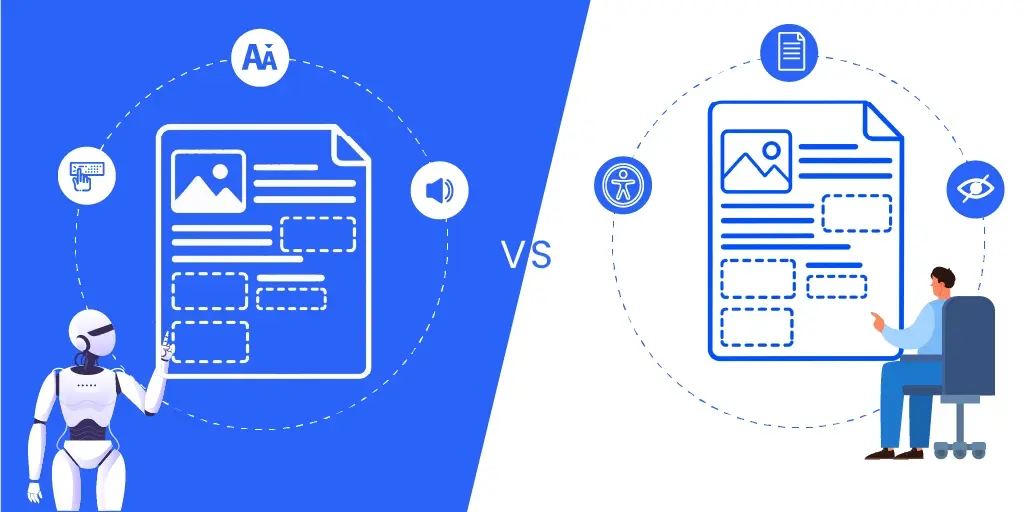
Every organization that publishes documents eventually meets the same question: make them accessible by machine or by hand? Automated tools can tag structure across hundreds of files and catch the obvious gaps. What they cannot do is tell you whether a table header means what it appears to mean or whether alt text carries the point of a chart.
Which one wins isn’t as important as where the handoff happens. In this post we compare the two approaches side by side: what each costs, where each breaks, which documents suit which method, and how compliance requirements shape the choice.
Automated vs. Manual Document Remediation: A side-by-side comparison
| Factor | Automated | Manual |
|---|---|---|
| How It Works | Software scans the layout and generates tags for headings, lists, tables, and images. | A specialist reviews and tags each element: headings, lists, links, TOCs, complex tables, fillable forms, and images. |
| Turnaround Time | Minutes, even for large batches. | Hours to days, depending on complexity. |
| Upfront Cost | Higher. Licenses, platform fees, setup. | Low. You pay per document. |
| Cost Per Page | Low once the tool is paid for. | Higher. Professional services typically run $4 to $25 per page, priced by complexity. |
| Accuracy | Consistent on simple structure; unreliable on tables, forms, and reading order. | High and human-verified; catches what checkers cannot. |
| Customization | Applies the same rules to every file. | Adapts to each document’s format and purpose. |
| What You Still Pay For | Review, wrong-tag correction, rework. | Verification only. |
| Where It Breaks | Complexity. | Volume. |
Automation is cheap until documents get complicated. Manual work is predictable until volume climbs. Let’s go over the rows above one by one in the sections below.
How does automated document remediation differ from manual remediation?
Automation reads a document’s layout and guesses at structure. Manual remediation has a person decide what the structure means, then build it. Bold text near the top is probably a heading. A specialist knows it is a heading because of the job it does.
Let’s take an example. Run a 40-page annual report through an auto-tagger and you get a tagged file in a minute. Headings mostly right. The nested table flattened into one long paragraph. Alt text on the revenue chart reading as “chart”, which tells the user nothing.
Give the same report to a specialist and, a few hours later, the table nests correctly, the reading order follows the columns, and the chart’s alt text says what the chart shows. Both files pass a basic checker. Only one is usable.
Benefits of automated vs. manual document remediation
Automation buys speed, consistency, and coverage across volume. Manual work buys accuracy on anything needing a decision. Most organizations need both, for different parts of the same library.
Automated document remediation advantages
- Speed: Thousands of pages in the time one file takes when done by hand.
- Consistency: No quality drop at 4pm on a Friday.
- Triage: It tells you which files are close to clean and which are a mess.
Manual document remediation advantages
- Reading order: Flow that follows the content, not the layout.
- Real table structure: Including nested headers and spanned cells.
- Alt text: To carry meaning instead of listing contents.
- Keyboard-friendliness: Forms and interactive elements that work by keyboard, with tooltips explaining each field.
- QC trail: A defensible record if a complaint lands.
What challenges come with automated vs. manual document remediation?
Automation’s problem is confidence. Output looks finished and passes basic checks, but carries errors a screen reader user hits immediately.
Manual work’s problem is arithmetic. Slower, more expensive per page, dependent on skill that takes months to build.
Automated document remediation limitations
- Reading order where visual and logical order disagree
- Headings, lists, and tables of contents flattened into plain paragraphs
- Nested tables and merged headers reduced to meaningless rows
- Alt text describing what elements an image contains, not what it communicates
- Decorative graphics tagged as content, so a divider gets announced
- Form fields without any labels or tooltips
- Scanned PDFs, where quality is capped by the OCR underneath
For a deeper look at how much of this AI can now handle on its own—and which conditions still need a person, see Can AI Make PDFs Accessible?
PAC added AI-assisted checks in its 2026 release to cover part of the Matterhorn Protocol checkpoints that previously needed human judgment. “Part” is the keyword here. PAC’s own documentation is explicit that its AI cannot evaluate alt text, because judging whether a description carries meaning needs a language model, not a tagging check.
Manual document remediation limitations
- Throughput: Complex pages are slow.
- Cost at volume: Twenty thousand pages at manual rates is a number that goes to the CFO.
- Drift: Two remediators tag the same table differently unless someone trains and reviews them.
- Version churn: The document changes and the work repeats.
Remediation and verification are different jobs. Remediation fixes the file. Verification confirms the fix holds, and skipping it is the most common reason a remediated document still fails. We make that case for manual review in PDF accessibility checks.
What types of documents benefit most from automated remediation?
Simple, templated, text-heavy files. Single-column reports, memos, invoices, transcripts, anything generated from one template thousands of times.
Can automated remediation handle complex documents compared to manual processes?
Not reliably. Complex documents are complex because their structure cannot be read off the page. A table with merged headers, a form with conditional fields, a paper threaded with figures and footnotes. Automation will produce tags, just not the correct ones.
What types of documents require manual remediation instead of automated solutions?
- Nested or spanned tables
- Interactive and fillable forms
- Multi-column layouts
- Scanned or image-only PDFs
- Charts, maps, and diagrams that carry information
- Legal, medical, and public-facing documents
Long publications need both. Automate the body, then hand-finish the tables and figures.
How do compliance requirements affect document remediation choices?
Compliance requirements set the floor, not the method. WCAG, the ADA, Section 508, PDF/UA and the European Accessibility Act describe the outcome. None mandate how to get there. What changes is your tolerance for error.
- The Web Content Accessibility Guidelines are the baseline most other rules point at. Tools cover the machine-testable criteria; the rest needs a person.
- The Americans with Disabilities Act carried no technical spec of its own for years, and enforcement pointed back at WCAG. That changed for state and local government: the DOJ’s Title II rule now names WCAG 2.1 Level AA directly. Private-sector obligations still run through enforcement rather than a written standard.
- Section 508 covers federal agencies and their suppliers, incorporating WCAG by reference.
- PDF/UA is the only standard written specifically for PDF structure. The Matterhorn Protocol, the PDF Association’s list of ways to fail it, reserves part of its checkpoints for human judgment.
- The EAA loops in private-sector documents sold into the EU.
Tighter obligations, earlier human input. An internal archive can be spot-checked, but a public benefits form cannot. Our guide to WCAG, Section 508 and the EAA covers the requirements.
What should businesses consider before switching from manual to automated remediation?
Look at what you publish before you look at tools. If most of your documents are forms, tables, or public-facing, switching pushes cost into review and procedures rather than reducing it overall.
Some things to ask yourself before you pull out the wallet:
- What share of the library is templated and single-column?
- How many have merged or nested table headers?
- How many are interactive forms?
- How many are scans rather than real text?
- Which documents actually get read, and how often? Rank by traffic before you rank by page count.
- Who reviews the output, and do they know what to look for?
If you cannot answer the first four, buy the audit before you buy the tool.
So, which one should you choose?
The split is not automated against manual. It is which parts of the job need a decision.
Tagging a paragraph is not a decision. Deciding whether a row of bold cells is a header, or whether an image carries information or just fills space, is. Automation handles the first well and humans the second.
How to choose between automated and manual remediation
- Templated, text-heavy, internal: automate and spot-check.
- Tables, forms, or public-facing: remediate by hand and validate.
- Long and mixed: automate the body, hand-finish the rest.
Automate what needs no judgment. Pay a person for what does. If the volume is real and the staff is not, outsourcing the hard documents costs less than training people for them. Then verify either way, because a document that passes a checker and fails a screen reader user is still a failed document.
Documenta11y does both halves, starting at $4 per page. Upload your documents and see what comes back.
Frequently asked questions
What are document remediation services?
Document remediation services modify existing files so assistive technology can read them properly, adding tags, reading order, alt text, and form labels to meet WCAG, the ADA, and PDF/UA. Providers price this per page, per project, or as a pipeline.
How much does document remediation cost per page?
Complexity drives it more than page count. Documenta11y’s document remediation services start at $4 per page. Tables, forms, and figures push any provider toward the higher end.
Can automated remediation make a document fully WCAG compliant?
Not alone. Automated tools cover the machine-testable criteria. Reading order, meaningful alt text, and table relationships still need a human decision, which is why every major checker also flags items for manual review.
What happens if a remediated document fails a compliance audit?
It goes back into remediation. The failed checkpoints get traced, fixed, and re-verified, which is rework you pay for twice. For public-facing documents, repeated failures also carry complaint and legal exposure under the ADA or Section 508, depending on who you are and who you serve.
What’s included in a document remediation service?
Tagging for headings, lists, tables, and images; a logical reading order; alt text; accessible form fields; document language and title settings; and validation against the target standard. A good provider hands back the remediated file with a report showing what was checked and how it passed.
 How Often Should You Audit Your Website for Accessibility (2026 Guide)
 8 Best Practices for Creating Accessible PDFs in InDesign
 WCAG 3.0 Working Draft: What Accessibility Teams Need to Know