
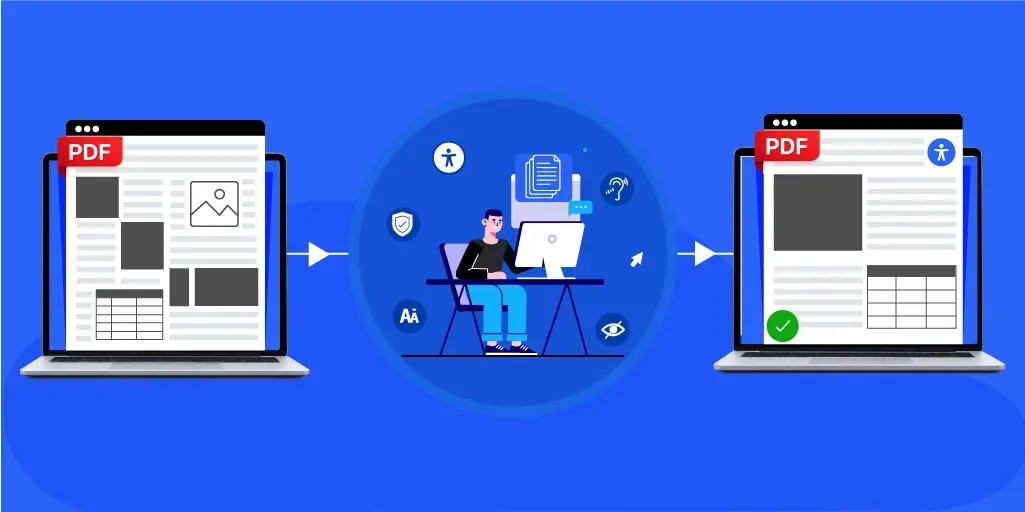
Different providers handle complex layouts in one of three ways: manual expert-led tagging, AI-automated tagging, or a hybrid of both with human QA. The hybrid model dominates because reading order, table relationships, and meaningful alt text still need human judgment.
A screen reader reads a PDF the way a person reads a shopping list. Top to bottom, one item at a time, in whatever order it finds them.
Now picture that list is a three-column newsletter with a pull quote in the middle, a sidebar down the right, and page numbers in both corners. Your eye sorts it in a second. The screen reader does not sort it at all. It reads the order the file was built in, usually the order a designer dropped objects onto the page.
That gap is the whole point. Closing it is the whole job: three approaches, the six mistakes that cause most of the rework, and the questions worth asking before you sign.
What Makes a PDF Complex?
A PDF layout is complex when position carries meaning: columns running side by side, cells spanning rows, a figure tied to its caption, a footnote tied to its anchor. Complexity is a property of the page, not of the file’s accessibility. An untagged one-column memo is inaccessible, but it is not complex. A tagged annual report full of multi-column financial tables still is.
The usual suspects:
- Multi-column pages, where text runs down one column and jumps back up to the next
- Multi-column tables, where a row carries Q1 against Q2, or last year against this year, and every value has to stay tied to the right header
- Tables with merged cells, stacked headers, or header rows that repeat across pages
- Charts, infographics, and diagrams that are data rather than decoration
- Scanned or image-only pages with no text layer at all
- Interactive forms, where fields need labels, grouping, and a sane tab order
- Sidebars, callouts, and pull quotes that interrupt the main flow
- Mathematical and scientific notation
- Footnotes and cross-references that must work in both directions
Page count has very little to do with it. A twelve-page brochure can be harder to remediate than a 400-page novel. The novel is one column of body text with chapter headings. The brochure is forty design decisions per spread.
Manual, AI, or Hybrid: The Three Approaches
Providers can be all manual, AI, or a hybrid, and all three models do the same job. Where they split is in who decides what the content means: a person, the software, or both in sequence. On a non-linear page, that decides everything.
Manual Expert-Led Remediation
In manual expert-led remediation, a specialist opens the file, rebuilds the tag tree by hand, sets reading order, tags table cells and assigns header scope, writes alt text, and tests the results with a screen reader.
The strength here is judgment. A person looks at a sales chart and decides the alt text should say what it argues, not just what it plots. On a page like that, the judgment gets used constantly: whether a sidebar interrupts the main column or follows it, which header a cell spanning three columns belongs to, whether a caption reads before or after its figure. Software has to guess at each of those. A person decides. A person knows a logo in a footer is an artifact, while the same logo on a certificate is content.
The cost is time. Manual work scales in a straight line. A thousand documents cost a thousand times the hours.
AI-Automated Remediation
In AI-automated remediation, software analyzes the page, infers structure from visual and positional cues, and tags it without a human in the loop.
The strength is throughput, consistency, and scale. Automation is genuinely good at the mechanical share: detecting heading levels, building a tag skeleton, catching missing language declarations, and applying one rule identically across ten thousand pages without drifting on page 4,000.
Its limit is context. Automation reads the page but does not read the room. It infers columns from whitespace, which holds until a pull quote sits between them. It reads a header spanning three columns as three separate headers. It cannot tell a decorative rule from a section break, so it guesses, and on an intricate page it guesses often.
Hybrid Models: AI With Human QA
AI handles the first pass and bulk tagging. A human specialist then reviews, corrects reading order, rewrites the alt text that needs context, and signs off. On a complex layout the split is clean: automation takes the tag skeleton and the thousands of routine elements, and the specialist takes the handful of places where the page means something the software cannot see.
Most serious providers have landed here, and the standard itself explains why. The Matterhorn Protocol, the PDF Association’s testing model for PDF/UA conformance, breaks the standard into 31 checkpoints and 136 failure conditions. 87 can be checked by machine alone. 47 usually require human judgment. Two have no defined test either way.
Roughly two-thirds machine, one-third human. Build the workflow to match that split, and you stop fighting the standard.
Six Mistakes That Cause Most of the Rework
The list above has what such a page contains. What about what goes wrong while fixing it? These six mistakes account for most of the remediation rework on a multi-region file, and every provider has shipped at least a few of them.
- Reading order set once and never re-checked: The tool proposes an order, it looks plausible in the panel, and nobody listens through it. A two-column page often tags as one long column, so a reader hears half a sentence from column one and the rest from twenty lines away.
- Tagging a table by how it looks: A grid used for positioning gets tagged as data. A real data table with merged cells gets tagged without scope, so every value loses its header. Both mistakes come from reading the borders instead of the relationships.
- Alt text that names the visual instead of reading it: “Pie chart showing regional data” is technically tagged but functionally useless. The reader learns a chart exists, but nothing of what it says.
- Tagging OCR output before correcting it: OCR on a scanned table drops column boundaries and invents characters. Tag it first, and the structure gets built on text that was never right.
- Marking content as an artifact: Running heads and decorative rules should be silent, so the artifact tag gets applied generously. Apply it to something that mattered, and the content vanishes, with no error to warn anyone.
- Fixing the output instead of the source: Sometimes there is no choice, because the InDesign original was lost three vendors ago. But where the source exists and nobody touches it, the same page gets remediated again on the next revision.
Tagging an Accessible PDF Form
Forms deserve their own line. An accessible PDF form needs every field programmatically labeled, a logical tab order following the visual layout, instructions attached to the field they describe, and required and error states that announce themselves. Radio buttons and checkbox sets need grouping, so they are heard as a set rather than a string of unrelated controls.
Multi-column forms break tab order almost by default. A form can pass a structural check cleanly and still strand a user whose focus jumps from column one to column two mid-question.
Best Practices for Remediating Complex PDF Layouts
On a plain document, the order of the work matters less than that it got done. On a structure-heavy one however, it decides how much of it you do twice. Each of these is general good practice with a specific consequence here.
- Start upstream where you can: Fixing heading styles and table structure in the source solves downstream work permanently. This pays back hardest on dense, layered files: one corrected table style in a template removes the spanned-header problem from every report built on it, instead of solving it cell by cell indefinitely.
- Audit before touching anything: Run a validator for the machine-checkable failures, then read the file as a true document to catch what the validator cannot see. A multi-region page will pass validation and still read in the wrong order, all because nothing in the file declared that the one sidebar was meant to come last.
- Fix reading order first: Everything else depends on it. On a two-column page with callouts, reading order is most of the job, and alt text written before that settles usually gets rewritten anyway.
- Tag tables by relationship, not appearance: Header scope, spans, and repeating header rows matter more than borders and shading. A financial table with a year spanning two quarter columns needs both declared, or every figure under it loses its label.
- Write alt text to purpose: Ask what the reader is meant to take from the visual, then write that. Data-heavy charts usually need short alt text plus a data summary in the body.
- Test with real screen reader users: Validators confirm a file is structurally sound. Only someone who navigates this way daily tells you whether it is comprehensible. That gap widens as the page gets crowded: a technically compliant annual report can still end up unusable in practice.
- Document the decisions: Recording why a graphic was treated as decorative saves the same argument come next revision. Relationship-heavy files carry dozens of these calls, and the next person will not be able to reconstruct them.
How Conformance Actually Gets Measured
PDF/UA compliance is measured against ISO 14289 using the Matterhorn Protocol’s 136 failure conditions. On a plain one-column document most of those never come into play, and a validator alone will get you most of the way. Non-linear pages are the opposite case. They trigger precisely the conditions a machine cannot settle.
Reading order across columns and callouts. Header scope and span on merged tables. Whether a graphic is content or an artifact. Whether alt text conveys what the visual conveys. All four sit in the 47 conditions that need human judgment, and all four are what this kind of page is made of.
So a conformance claim on a complex file means less than the report behind it. Three layers, not one:
- Automated validation against the Matterhorn failure conditions.
- Human review of the checkpoints a machine cannot decide.
- Testing by people who use screen readers daily, not by sighted staff running screen reader software.
Ask which standard, which version, which tool, and who reviews the conditions the tool could not. On a simple file that report is a formality; on a structurally heavy one it is the only evidence that exists.
How Accessibility Remediation Providers Are Adapting in 2026
What is reshaping PDF remediation work is not that there is more of it. It is that the easy part is now cheap.
Automation now handles bulk tagging on straightforward documents well enough that no serious provider competes on it. Organizations working through twenty years of archive to produce an ADA compliant PDF for every file keep finding the same thing: the plain documents move fast, and the intricate annual reports do not. That minority is where the cost sits, with nearly all of the risk.
Three shifts follow. Pricing is moving from page count to structural density, because a thousand plain pages and fifty dense ones stopped being comparable jobs. Tooling is being rebuilt around PDF 2.0 and PDF/UA-2, which matters here more than anywhere: PDF/UA-2 adds support for MathML, so mathematical and scientific notation stops depending on workarounds. And the conversation is moving upstream into templates, where one fixed table style prevents a thousand spawned failures instead of correcting them one at a time.
The providers worth watching treat remediation as source QA, not as cleanup.
Eight Questions to Ask a Provider Before You Sign
Good PDF remediation service providers show evidence of process, not adjectives and hype words. Eight signals separate a provider that handles complex layouts from one that handles simple ones at volume:
- A named conformance target, PDF/UA plus a stated WCAG version (WCAG 2.2 is current), not just “accessible”
- Human review built into the workflow, not sold separately as an upgrade
- Demonstrated experience with your document type, not a general portfolio
- Testing by genuine screen reader users, not only testing with screen reader software
- Per-document conformance reporting that you can hand an auditor
- A defined approach for tables, forms, and charts
- Willingness to work on source files, not only outputs
- A sample remediation of your content before you sign anything
That last one settles most questions on its own. Send the genuinely hard document, not the clean one.
How Documenta11y Approaches These Files
At Documenta11y we run a hybrid workflow across a team of 100+ accessibility experts. Automation handles bulk tagging and the failure conditions a machine can decide. Specialists take reading order, table relationships, form field labeling, and the alt text that depends on knowing what a document is for.
Every file is validated against PDF/UA and WCAG, reviewed by a person, and then tested by screen reader users themselves before it ships back. That last step is the one worth asking any provider about. Someone who navigates by screen reader every day is telling you whether it is actually usable. Relationship-heavy documents get scoped individually, because a technical manual of nested tables and a brochure of layered graphics are not the same job at the same price.
Send Documenta11y the file you expect to be told is impossible.
Frequently Asked Questions
How long does it take to remediate a PDF with a complex layout?
Remediation time depends on structural density, not page count. A long, plain document moves quickly. A short one with nested tables, charts, and forms takes far longer per page, because reading order and table relationships get decided one at a time. Expect an estimate after a sample, not a flat page rate.
Can AI alone remediate complex PDF layouts?
AI can carry these files a long way but not all the way to conformance on its own. The Matterhorn Protocol classifies 47 of its 136 failure conditions as needing human judgment. Those are the ones heavier layouts trigger: reading order, meaningful alt text, artifact decisions, and table relationships.
Can I remediate a complex PDF myself, or do I need a professional?
You can, for a simple document, with Acrobat Pro and time. But these layouts are a different proposition. The work needs tag tree fluency, working knowledge of PDF/UA, and screen reader testing. Most in-house teams keep the simple files and outsource the rest to PDF remediation services.
What’s the difference between automated and manual PDF remediation?
Automated remediation applies structure by pattern and inference at speed. Manual remediation applies it by judgment and context. The difference shows up wherever meaning depends on that context, which is most of what makes a layout complex.
How much does professional complex PDF remediation cost?
Pricing usually runs per page, with tiers for structural density and volume moving the rate. More intricate layouts sit at the upper end of any provider’s range because they carry human review time that a plain document does not. Ask for pricing against a sample of your real documents. A headline per-page figure describes the simplest tier.
Key Takeaways
- A layout is complex when meaning lives in visual arrangement, not when a document is long.
- Three delivery models exist, and the hybrid one matches how the standard splits machine and human testing.
- Most of these failures come from how reading order, tables, forms, and data visuals get handled, not from the page itself.
- PDF/UA compliance is proved with a conformance report, not asserted or guessed at.
- Choose PDF remediation service providers on evidence of process, and test them on your hardest document first.
 Accessible Canada Act Deadline: What Happens If You Miss It
 How PDF Remediation Services Handle Complex Layouts
 Can AI Make PDFs Accessible? Detection, Remediation, and Where Humans Still Matter