
We help organisations address AODA document accessibility requirements through PDF remediation and accessibility validation, using WCAG guidelines to make PDFs, Word documents, spreadsheets, and other digital files accessible.

100+
Accessibility Experts

1M+
Documents Remediated

99.9%
Accuracy
What Is AODA Compliance?
The Accessibility for Ontarians with Disabilities Act, 2005 (AODA) sets out to identify, remove, and prevent barriers for people with disabilities in Ontario. The details sit in regulations such as the Integrated Accessibility Standards Regulation (IASR), Ontario Regulation 191/11, which covers accessible formats, communication supports, and accessibility requirements for covered websites and web content.
Documents are part of this, too. The reports, forms, and policies an organisation shares with customers, employees, students, or the public may need attention just as much as its website. Depending on the requirements that apply, that could mean remediating an existing file or providing an accessible alternative so someone using assistive technology can access the information.
Who Does AODA Apply To?
AODA covers a range of public and private sector organisations in Ontario, but the requirements aren’t the same for everyone. What an organisation needs to do depends on its size, sector, and the accessibility standards that apply to it.
This includes:
- Government ministries and public sector organisations
- Municipalities and other designated public sector bodies
- Businesses and not-for-profit organisations covered by the regulation
- Educational institutions and training providers
- Organisations that provide information, services, or digital content to the public
Organisation size matters, too. Public sector bodies and organisations with 50 or more employees have specific web accessibility obligations. Smaller organisations have different requirements under the AODA, so it’s important to understand which rules apply to your organisation.
What Does the AODA Require?
Under the AODA, organisations must meet the requirements that apply to them. The Integrated Accessibility Standards Regulation (IASR, O. Reg. 191/11) sets out what this involves for information and communications, from accessible formats and communication supports to website accessibility.
In practice, organisations may need to:
- Provide accessible formats and communication supports in a timely manner, at no extra cost beyond what others pay for the same information or service.
- Talk to the person making a request to work out which accessible format will meet their needs.
- Meet the applicable WCAG requirements for covered websites and web content.
- Provide information and resources in accessible formats where required.
- Look beyond the main website and consider the accessibility of the other information they share.
Three IASR Sections Relevant to Document Accessibility
Section 12: Accessible Formats and Communication Supports
When someone requests an accessible format or communication support, organisations covered by Section 12 must provide it or arrange for it to be provided, subject to the applicable requirements. They also need to consider the person’s accessibility needs, discuss which format will work for them, and meet the requirements for timing and cost.
Section 13: Emergency Procedures, Plans or Public Safety Information
The same consideration applies to emergency plans and public safety information prepared for the public. When someone requests an accessible format or appropriate communication support, the organisation must provide it as soon as practicable.
Section 14: Accessible Websites and Web Content
Section 14 sets out website accessibility requirements for specified public sector organisations and large organisations. Their covered websites and web content must meet WCAG 2.0, subject to the applicable provisions and exceptions.
These sections cover different requirements under the AODA. Depending on the rules that apply, an organisation may need to provide accessible versions of its documents, remediate PDFs, or review its website. The specific requirements vary by organisation.
What does this mean for digital documents?
PDFs are only part of the picture. Word documents, Excel spreadsheets, forms, and reports can also be difficult for people with disabilities to use. Depending on the requirements that apply, an organisation may need to provide an accessible version of a document when someone requests one.
Making a PDF accessible involves more than fixing how it looks on screen. The document needs to work with assistive technologies, too. This may mean setting the correct reading order, tagging headings and tables, adding alternative text where needed, and making form fields accessible.
Need Help With AODA Document & PDF Accessibility?
A large document library rarely has the same accessibility issues throughout. One PDF may have an incorrect reading order, another may contain tables that assistive technologies cannot interpret, and older files may need more extensive remediation. Working through these issues requires careful review and accessibility expertise.
Documenta11y provides PDF remediation and accessibility validation for individual files and large document collections. We identify accessibility issues, make the necessary corrections, and validate the remediated documents against relevant accessibility criteria.
Whether you’re working with a single AODA-related PDF or thousands of documents, Documenta11y can help you address the accessibility issues in your files.
DocumentA11Y.com remediates digital content residing in all forms of documents


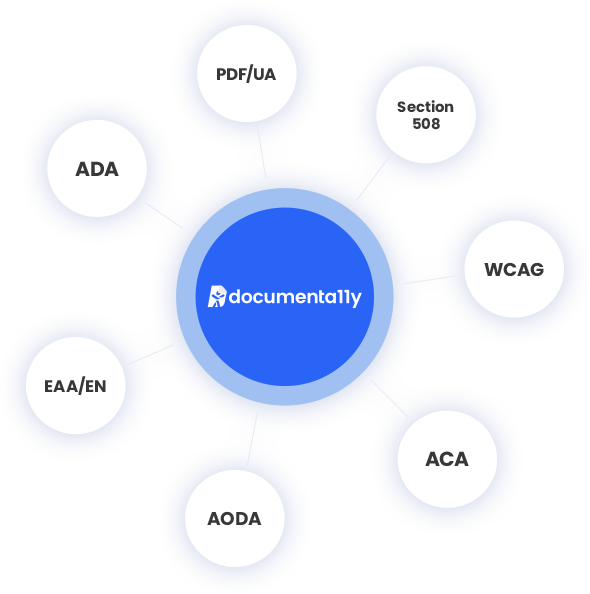
We can help you achieve your compliance goals
Our Capabilities


Alt Text for Images

Audio Video Transcription

Closed Captioning

How do we do it?
Frequently Asked Questions
