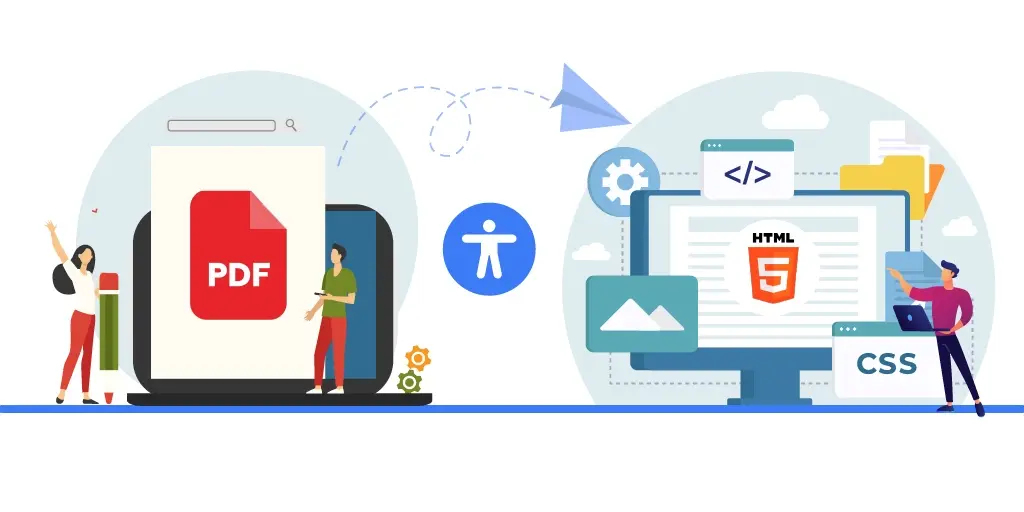
Why Move from PDF to HTML
In the FY 2025 Governmentwide Section 508 Assessment, the U.S. General Services Administration reported that public-facing electronic documents had only 38% full conformance, the lowest result among the ICT categories assessed.
This signals a growing need to strengthen document accessibility strategies. With public-facing PDFs showing the lowest conformance levels, organizations are re-evaluating how they create and deliver document-based content. Rather than relying only on remediation, many are now considering converting PDFs to HTML. This blog explores why organizations are making that shift, where HTML works better, where PDFs still add value, and what to assess before moving forward.
Is Moving from PDF to HTML Really Beneficial?
In many cases, yes. While PDFs still have value for fixed layout files, print-ready assets, and official records, HTML often performs better when content is meant to be read online. As digital accessibility expectations rise, many organizations are evaluating why convert PDF to HTML for accessibility as part of a broader content strategy.
1. Better Reading Experience Across Devices
One of the clearest benefits is responsive design. PDFs often require zooming, panning, and side scrolling on mobile devices. This can slow down reading and make navigation frustrating. Accessible HTML automatically adjusts text, spacing, and layout to fit different screen sizes.
For example, an annual report published in HTML can be read comfortably on a phone during travel, while the same PDF may require repeated zooming
2. Stronger Screen Reader Navigation
Although tagged PDFs can be accessible, HTML is the native structure of the web. Screen readers such as NVDA, JAWS, and Voice Over generally offer smoother navigation within HTML pages using headings, landmarks, lists, buttons, and tables.
A user reviewing a long policy document in HTML can jump directly to sections such as leave policy, code of conduct, or benefits without moving page by page.
3. Faster Path to Compliance and Updates
For many content types, reaching WCAG compliance in HTML is often more efficient than extensive PDF remediation. Updating a heading, fixing link text, or correcting reading order in HTML can be quicker than reopening, editing, retagging, and retesting a PDF.
This becomes especially useful for frequently updated documents such as notices, handbooks, and public guidance.
4. Lower Dependence on Specialized Skills
Most digital teams already work with HTML, content management systems, and website templates. That means many accessibility improvements can be handled within existing workflows. By contrast, making PDFs fully accessible often requires deeper expertise in tagging structure, reading order logic, form fields, and document remediation tools.
This difference can reduce turnaround time and internal dependency.
5. More Consistent Browser and Assistive Technology Support
HTML content is designed to work directly within browsers and connect with accessibility APIs. PDFs, however, are often opened inside browser viewers instead of dedicated applications. In some cases, this can affect tags, form behavior, or screen reader support depending on the browser and setup.
HTML usually offers a more predictable experience across Chrome, Firefox, Safari, and Edge when properly coded.
Choosing the Right Documents for HTML Conversion
The benefits of HTML are clear, but not every PDF should be converted. A smarter approach is to match the format to the purpose of the document. Some files are designed for online reading and frequent updates, while others depend on fixed layout, precise design, or offline distribution.
This is where many organizations pause to assess which documents should be converted from PDF to HTML instead of applying one rule across every document type.
Documents Best Suited for HTML Conversion
Text-heavy and content-driven documents are often the strongest fit for HTML. These include policy pages, guidance notes, reports, manuals, newsletters, blogs, FAQs, and public notices. When users need to read, search, navigate, or access information quickly, HTML usually creates a better experience. For example, an employee handbook with multiple sections can work well as HTML because users can jump directly to leave policy, travel rules, or workplace conduct without downloading a file.
Documents with basic tables and a clear reading flow also translate well. A pricing sheet, timetable, or summary report with simple rows and columns can often be rebuilt effectively in accessible HTML.
HTML is also ideal for content that changes often. If compliance notices, academic calendars, or product updates are revised regularly, updating a webpage is faster than reissuing a new PDF each time.
Documents That May Be Better Left as PDFs
Some documents depend heavily on layout precision. Brochures, branded publications, certificates, print-ready assets, official documents, legal contracts, reports, and complex forms often require exact placement of text, graphics, signatures, or page structure.
Recreating that same presentation in HTML can require significant development effort. Documents with advanced data tables, engineering diagrams, layered visuals, or mathematical notation may also be challenging. In such cases, conversion can become more complex than improving the original file.
Legacy files already built to strong accessibility standards may not need conversion either. If an archived PDF already performs well and serves its purpose, replacement may offer limited value. Offline use is another factor. PDFs keep accessibility features within a portable file, while saved webpages may not always preserve the same experience.
The strongest strategy is not replacing every PDF. It is choosing the right format for the right content, then scaling from there.
The Trade-Offs and Technical Realities of PDF to HTML Conversion
Moving content to HTML can improve access, but conversion is not always simple. The strongest results come when organizations evaluate both document suitability and technical complexity before starting. Without that planning, conversion projects can become costly, inconsistent, or difficult to maintain.
1. Not Every Document Is Built for HTML
Text-heavy files with a straightforward structure are usually strong candidates for HTML. Articles, reports, blogs, guidance notes, and simple multi-section documents often transition well because users mainly need to read, search, and navigate content.
However, some files depend on fixed presentations. Brochures, forms, certificates, and branded publications often require exact spacing, page flow, or carefully placed visuals. Recreating that same experience in HTML may need extensive frontend work.
This is why organizations should carefully assess which documents should be converted from PDF to HTML instead of applying one rule to every file.
2. Long Documents Need a New Navigation Model
PDFs naturally provide page numbers, bookmarks, and a familiar page-by-page reading experience. In HTML, the same content may become one long page or a series of linked sections.
Without clear menus, anchor links, search support, and section navigation, users may find it harder to move through manuals, policy libraries, or annual reports.
3. Tables Often Need Manual Reconstruction
One of the most common PDF to HTML conversion challenges involves tables. A PDF table may look clear visually but contain merged cells, split rows, nested headers, or no usable structure behind the scenes.
During converting complex PDF tables to accessible HTML, those relationships must be rebuilt with proper semantic markup so screen readers can identify headers and data correctly. Automated tools often miss this step.
4. Structure Does Not Always Convert Cleanly
PDFs may use tags such as figures, notes, formulas, references, or decorative elements that do not map directly into HTML. A converter can flatten meaningful content into plain text or turn decorative items into unnecessary clutter.
This affects usability and can reduce document accessibility if structure is not reviewed manually.
5. Reading Order Can Break Meaning
Many PDFs are visually arranged rather than logically built. Sidebars, captions, floating text boxes, or footers may appear in the right place on screen while following a different internal sequence.
This creates serious PDF reading order issues and HTML conversion when content is moved into a linear web format. Users of assistive technology may receive information in the wrong order or without context.
6. Offline and Legacy Use Cases Still Matter
Some documents are primarily downloaded, stored, or shared offline. PDFs remain effective because they carry content and accessibility features within one file. Likewise, legacy files already meeting PDF/UA standards may not need immediate replacement.
The right decision is rarely PDF or HTML alone. It is a content strategy that uses each format where it delivers the best accessibility, usability, and long-term value.
Why Human Expertise Still Matters in PDF to HTML Conversion
Automated tools can accelerate basic conversion tasks, but they rarely deliver fully accessible outcomes on their own. Clean output does not always mean usable output. For organizations focused on compliance, usability, and brand quality, human review remains essential.
- Real World Testing Goes Beyond Code: Passing automated checks is only one step. Final HTML should be tested with assistive technologies such as NVDA, JAWS, and VoiceOver to confirm that reading order, keyboard access, tables, links, and forms work correctly. This practical testing often reveals issues that automated tools miss.
- Presentation Still Needs Professional Control: Converted content must also remain readable and consistent across devices. Responsive layouts, spacing, typography, and print-friendly styles often require front-end expertise. Without that layer, accessible pages may function technically but still create a poor user experience.
- Advanced Features Need Accessibility Expertise: Some PDFs contain footnotes, expandable notes, tooltips, data tables, or interactive forms. Recreating these elements in HTML may require ARIA roles and properties beyond standard tags. Used correctly, these enhancements improve usability. Used poorly, they can create confusion.
- The Best Results Come from Hybrid Workflows: Many organizations now combine automation with expert review. Tools help speed up first-pass conversion, while specialists refine structure, validate accessibility, and test usability. That is why a trusted PDF to HTML conversion service often delivers stronger long-term outcomes than automation alone.
Choosing the Right Format for Long-Term Accessibility
Moving from PDF to HTML is not about replacing every document. It is about choosing the right format for the right purpose. HTML can improve usability, navigation, and maintenance, while PDFs still remain valuable for print, archive, and offline needs.
With the right strategy, organizations can strengthen PDF accessibility, improve WCAG compliance, and create better digital experiences. Documenta11y helps organizations evaluate the best path for accessible documents through expert guidance, PDF remediation, and practical conversion support.
 One Law, Three Verdicts: How the EAA Is Enforced in 2026
 EAA Enforcement: Austria, Sweden, France
 The Top 10 Website Accessibility Audit Companies